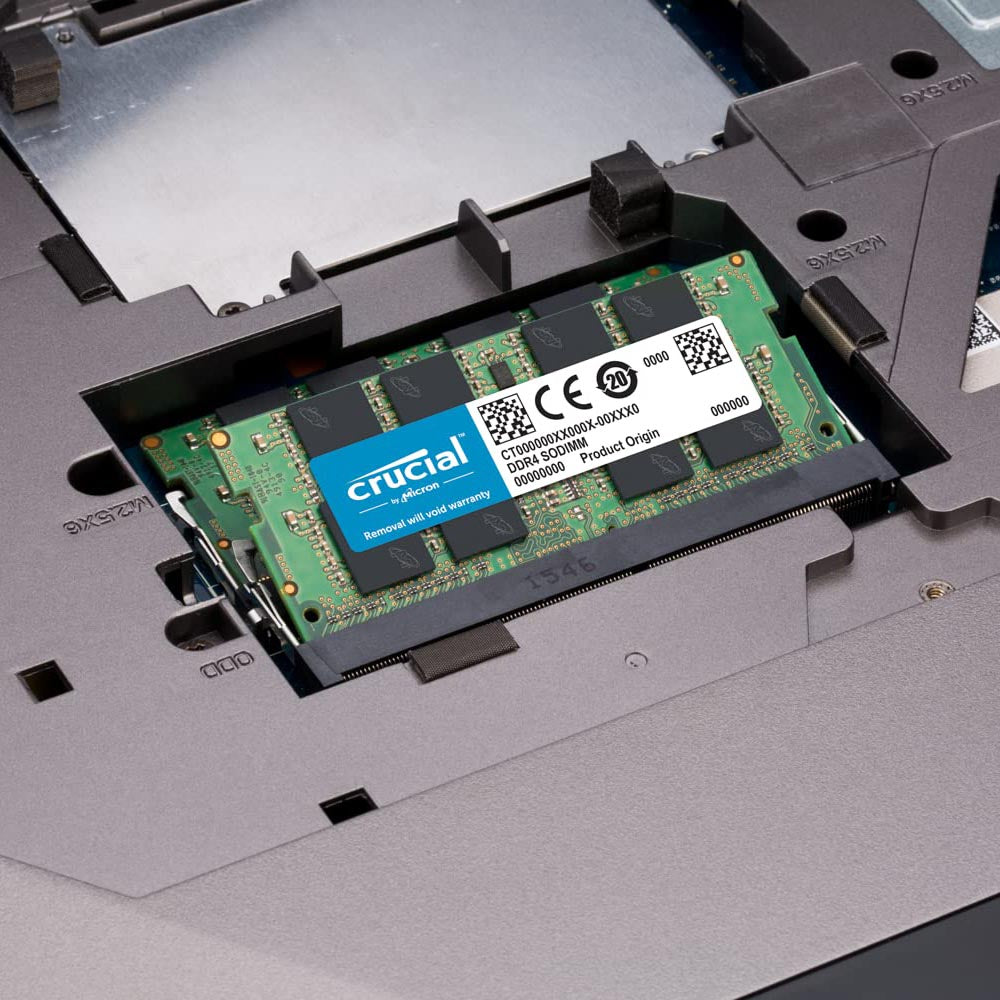
Crucial 32GB DDR4 RAM 3200MHz CL22 Laptop Memory
Couldn't load pickup availability
- Free Shipping (optional Express Shipping)
- Comes with 7-Days Returns Policy
- Original Brand Warranty
Product Description:
Crucial RAM high-performance 32GB Kit DDR4 memory is designed for world-class DDR4 system builds. It's built with module that operates at speeds up to 3200MHz and has a CL22 latency for reliable performance in demanding environments.
Crucial DDR4 Memory redefines premium DDR4 memory, Micron quality and reliability are baked into every one of our memory modules.
Load apps in seconds by increasing the speed of your memory and installing more of it. Memory is a component in your computer that allows for short-term data access.
This is an easy cure for a slow computer which designed to help your system run faster and smoother, Crucial laptop memory is one of the easiest and most affordable ways to improve your systemâs performance
Make Everything Faster
Since your systemâs moment-to-moment operations rely on short-term data access loading applications, browsing the Web or editing a spreadsheet, the speed and amount of memory in your system plays a critical role. Load apps in seconds by increasing the speed of your memory and installing more of it.
Multitask with Ease
Every app youâre running requires memory and competes for a limited pool of resources. Overcome this by installing high-density modules in each memory slot for seamless multitasking.
Install with Ease
With just a screwdriver, your ownerâs manual, and a few minutes of time, you can install memory â no computer skills necessary.
Maximize the Value of Your System
At a fraction of the cost of a new system, a memory upgrade is one of the most affordable ways to increase performance. Get more out of your laptop by giving it the resources it needs to perform.
| Memory Module | Crucial Laptop RAM Memory |
| Type | DDR4 |
| Size | 32GB |
| Form factor | SODIMM |
| Voltage | 1.2V |
| Speed | 2666MHz |
| CAS latency | CL 22 |
| Weight | 9g |
| Warranty | Limited Lifetime |

I ordered these RAM modules at a time when prices were rising every day. Before ordering at TPS, I ordered with some other vendors. They all cancelled my order since the prices were rising. Only TPS delivered.
Good . Work for the price and good smooth
Excellent. Genuine and Good support
So there are a few things people don't know but just pick up Ram and I'll address them today which is what made me choose this companies brand of Ram, the specific Ram, the speed and what I think of my laptop now.1.) Ram is Ram.So people just pickup Ram without checking compatibility of processor, clock speed and stuff. The one thing I know I can rely on is Crucial. Be it a Dell, HP, Lenovo, etc you can count on Crucial plus they're the oldest company that still exists. Ram is not just Ram , you need to understand that this is unbufferred ram which means, when you install it your CPU/GPU will auto allocate a certain amount as cache compared to bufferred ram. But bufferred ram works slower. Hence I purchased Dual Channel memory for my Hp 15 laptop with the AMD Ryzen 3300U.Why Ram Isn't just Ram in specs is below.Clock speed = The speed at which your ram works, CL17 is recommended although people go for CL 19. You won't notice this unless you literally use a hardcore game. Memory speed is limited, particularly with some low-end and mainstream Intel/AMD 3 CPUs and chipsets. So if, for instance, your system only supports 2,666MHz, thereâs no point in buying RAM thatâs rated for 3,600 mhz cause it'll operate at 2666 mhz out of the 3600 and could lead to over heating and laptop crashing issues down the line. the amount of time that needs to pass from the read command being issued to the data being available for the processor to access. In the case of synchronous DRAM such as DDR4, this latency is measured in clock cycles rather than nanoseconds.You won't notice much of a difference between CL 17 and CL 19 until you really use some heavy graphics tools or a few years down the line.Pricing = Purchase from a store you'll pay about 5 - 6K for basic Ram @CL 19, not including GST (Thanks Covid). Ideally this ram should be only 3K and then you can install it yourself and save about 3-5K. If you have trouble, just go to your computer manufacturers support website and look at how to Install Ram or watch a Youtube Video.TYPE : DDR4, Dual Channel. This means I can install two variants of Ram in my PC and the system will automatically allocate a certain amount to one stick of Ram and an additional part of the second stick of Ram. For eg : My Laptop came with 4GB of RAM, I installed 8GB of RAM. Both run at a clock speed of CL17. That means I now have 12GB of RAM. Out of this 12 GB about 3GB will be used as Cache/POOL size leaving 9GB for Lappy utilizations plus a little extra for video memory.If I purchase Single line channel, that means my system will only use one stick of Ram to run all tasks. Creating slower processing speeds. So I purchased Dual channel memory after understanding my system already had one Dual channel stick inside. Just open up task manager, click on memory and you can see it there, you can also download CPU-Z to check which one.WORDS OF ADVICEJust know that more RAM means more strain on your computer's power supply and CPU so make sure your other components can handle the load.Laptops support what is known as SO-DIMM (Small Outline Dual In-Line Memory Module), while desktops use DIMM (also known as UDIMM) module RAM (Dual In-Line Memory Module). As the names suggest, SO-DIMM is quite simply a smaller version of DIMM.Combining different RAM modules, potentially from different manufacturers, can lead to unexpected compatibility issues, crashes, and overall buggy performance.I close with the delivery of this product was quite fast, although the estimated delivery date showed a week, it was delivered in about 4 days. The packaging it comes in is quite tight so it's protected from breakage or falls. The model number is mentioned on the product to ensure you have the right product so that's good.Overall very happy with the Ram I purchased for the aforementioned reasons.
Well i just got the ram and tried to install it, as it mentioned it was a pack of 2 (16*2) = 32gigs but, i was only able to install only one with my current 8gigs Samsung ram, idk why the 2nd stick is having different pin design then my current one.Note - only buy one ram stick first then go for 2nd rather than buying together,, you might end up like me. Now i have a spare ram with me which i think is useless for me as i don't have 2 laptops and it doesn't fit on my current one.Conclusion - I have upgraded from 8gigs to 24gigs now but i was going for 32gigs which is now not possible,, i am still okay might just sell the 2nd stick to someone.