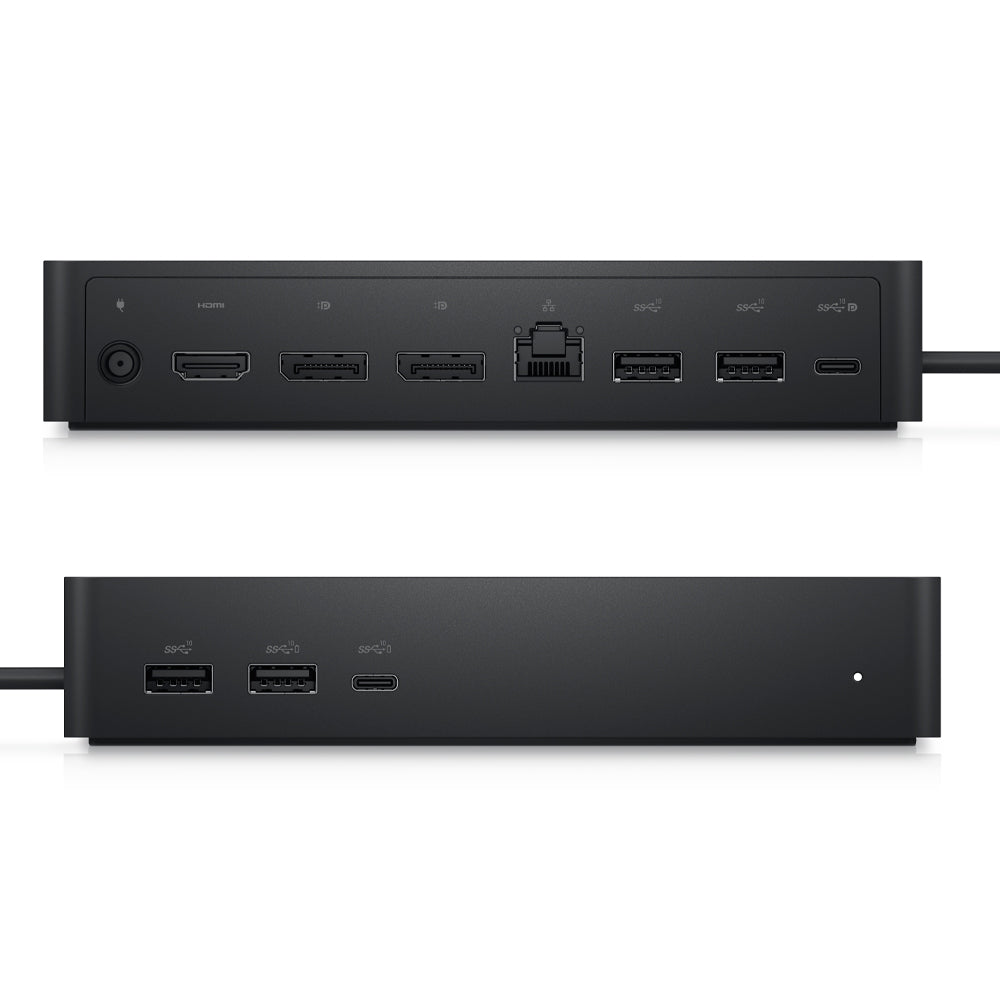
Dell UD22 Universal Docking Station with USB-C and Gigabit Ethernet
Dell UD22 Universal Docking Station with USB-C and Gigabit Ethernet
Regular price
Rs. 15,999.00
Regular price
43% off
Rs. 27,990.00
Sale price
Rs. 15,999.00

Quantity
Loading Offers...
+ Offers
Couldn't load pickup availability
- Free Shipping (optional Express Shipping)
- Comes with 7-Days Returns Policy
- Original Brand Warranty
Product Description:
Universal connectivity
The UD22 is compatible with a wide range of USB Type-C devices regardless of the manufacturer including devices running Windows, Mac, Ubuntu, and Chrome OS.
Multi-Display Support
Maximize productivity with support for up to four 4K monitors via DisplayLink drivers, giving you more space to organize your workload.
Automatic Display Layout
Enhance the shared workspace experience further with DisplayLink's layout provisioning feature that enables preconfigured display layout automatically for the users.
Dell Universal Dock UD22
Turn your notebook into a fully-fledged workstation with the Dell UD22 10-in-1 Universal Docking Station. Designed to reduce workspace clutter while offering robust utility, the UD22 is ideal for any user looking to expand their productivity.
| Model | Dell UD22 Universal Dock |
| Part number | 210-BFCD |
| Dimensions | 16.5 x 7.6 x 3.3 cm |
| Max Resolution | 5120 x 2880 - 60 Hz |
| Interfaces | 2 x DisplayPort 1.4 1 x HDMI 1 x USB 3.2 Gen 2 Type-C(DisplayPort) 1 x USB 3.2 Gen 2 Type-C 4 x USB 3.2 Gen 2 Type-A 1 x RJ45 |
| Security Slot Type | Kensington nano security slot / Kensington security slot |
| Cables Included | 1 x USB-C cable |
| Power Provided | 130 Watt |
| Weight | 416 g |
| Warranty | 3 Years of Brand Warranty |