


QNAP TS-462 4 Bay NAS with Intel Celeron N4505, 4GB RAM, 2.5GbE and HDMI 2.1 | TS-462-4G
QNAP TS-462 4 Bay NAS with Intel Celeron N4505, 4GB RAM, 2.5GbE and HDMI 2.1 | TS-462-4G
Couldn't load pickup availability
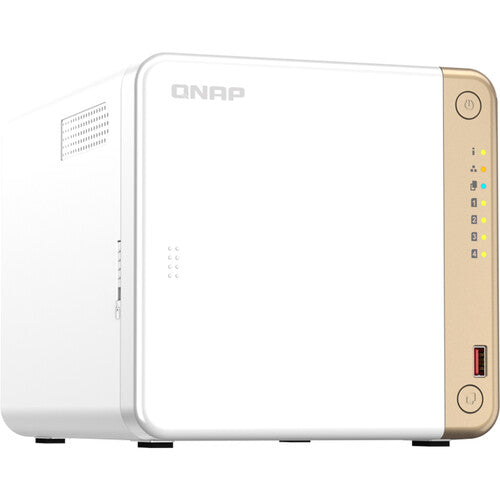

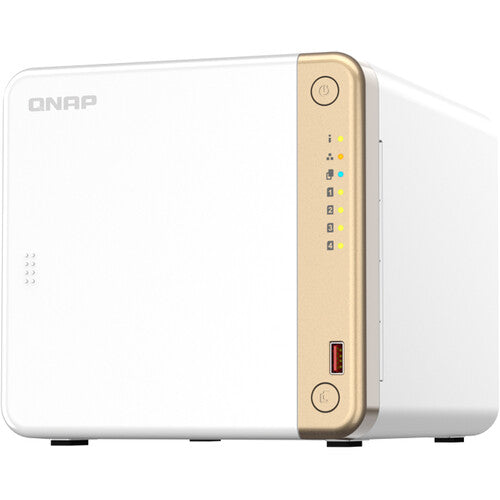
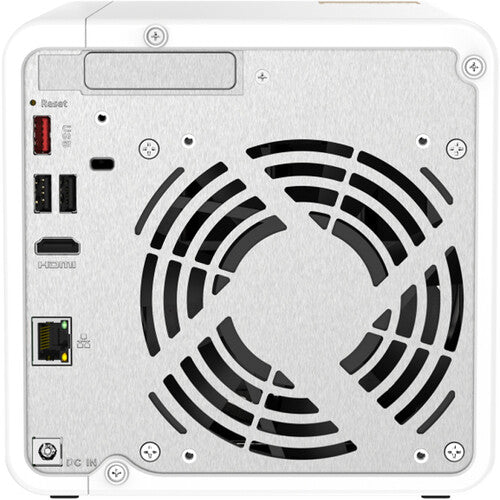
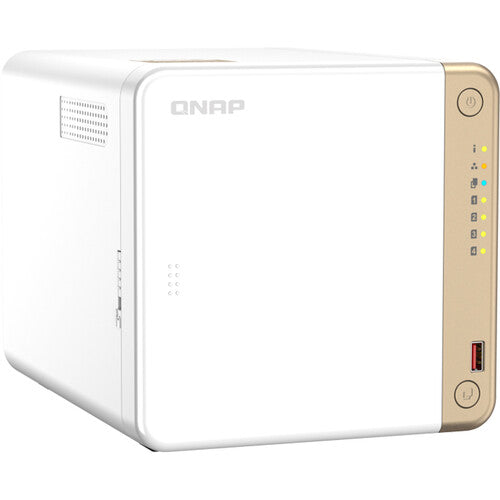
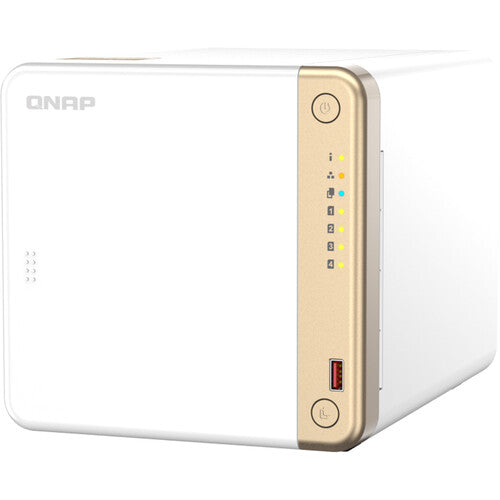
Intel Celeron N4505: A dual core Intel Celeron N4505 with burst speed up to 2.9 GHz and AES-NI encryption handles file sharing, backups and media apps.
2.5GbE With Upgrade Path: One 2.5GbE port comes built in, and the PCIe Gen3 slot lets you add a 5GbE or 10GbE card later.
Two M.2 SSD Slots: Two M.2 2280 PCIe slots let you add NVMe SSD caching to speed up the four 3.5 inch drive bays.
HDMI 2.1 Output: The HDMI 2.1 port outputs up to 4096 x 2160 at 60Hz, so the NAS can play media straight to a TV.
Fast USB Ports: Two USB 3.2 Gen 2 ports at 10Gbps and two USB 2.0 ports make it easy to copy and back up external drives.
A flexible 4 bay NAS for homes and small offices that want 2.5GbE today and room to grow with SSD cache and PCIe upgrades.
Product Specifications:
| Brand | QNAP |
| Model | TS-462-4G |
| CPU | Intel Celeron N4505, 2 cores, up to 2.9 GHz |
| Memory | 4 GB DDR4 SO-DIMM (2 slots, up to 16 GB) |
| Drive Bays | 4 x 3.5 inch SATA 6Gb/s (2.5 inch SSD compatible) |
| M.2 Slots | 2 x M.2 2280 PCIe Gen3 x1 |
| LAN Ports | 1 x 2.5GbE RJ45 |
| PCIe Slot | 1 x PCIe Gen3 x2 |
| USB Ports | 2 x USB 3.2 Gen 2 Type-A (10Gbps), 2 x USB 2.0 |
| HDMI | 1 x HDMI 2.1, up to 4096 x 2160 at 60Hz |
| Encryption | AES-NI hardware encryption |
| Operating System | QTS |
| Form Factor | Tower |
| Power Supply | External 90W adapter, 100 to 240V AC input |
| Power Consumption | 32.4 W typical operating |
| Fan | 1 x 120 mm |
| Dimensions (H x W x D) | 165 x 170 x 226.5 mm |
| Weight | 2.88 kg net |
| In the Box | NAS unit, Ethernet cable, AC adapter, power cord, 3.5 inch and 2.5 inch drive screws, Quick Installation Guide |
| Country of Origin | Taiwan |
| Warranty | 2 Year QNAP Warranty |
Pick drives, plan your RAID, add cache, memory and setup. The more you add, the more you save.
Ordered on quote
Tell us your capacity and use case. We plan the drives, RAID and setup, and arrange payment and delivery.
Plan your storage
Set your bays and RAID, then pick a drive. Each drive shows the usable capacity it gives.
Choose a drive
Add SSD cache or an NVMe pool
Add a memory upgrade
Add installation and setup
Our engineers set up RAID, volumes, users and backups, on site or remote. Choose one.
Review your solution
Here is everything you have configured.
Compatibility is taken from each manufacturer datasheet and official list. “Compatible” parts meet the model spec but are not on the brand verified list.