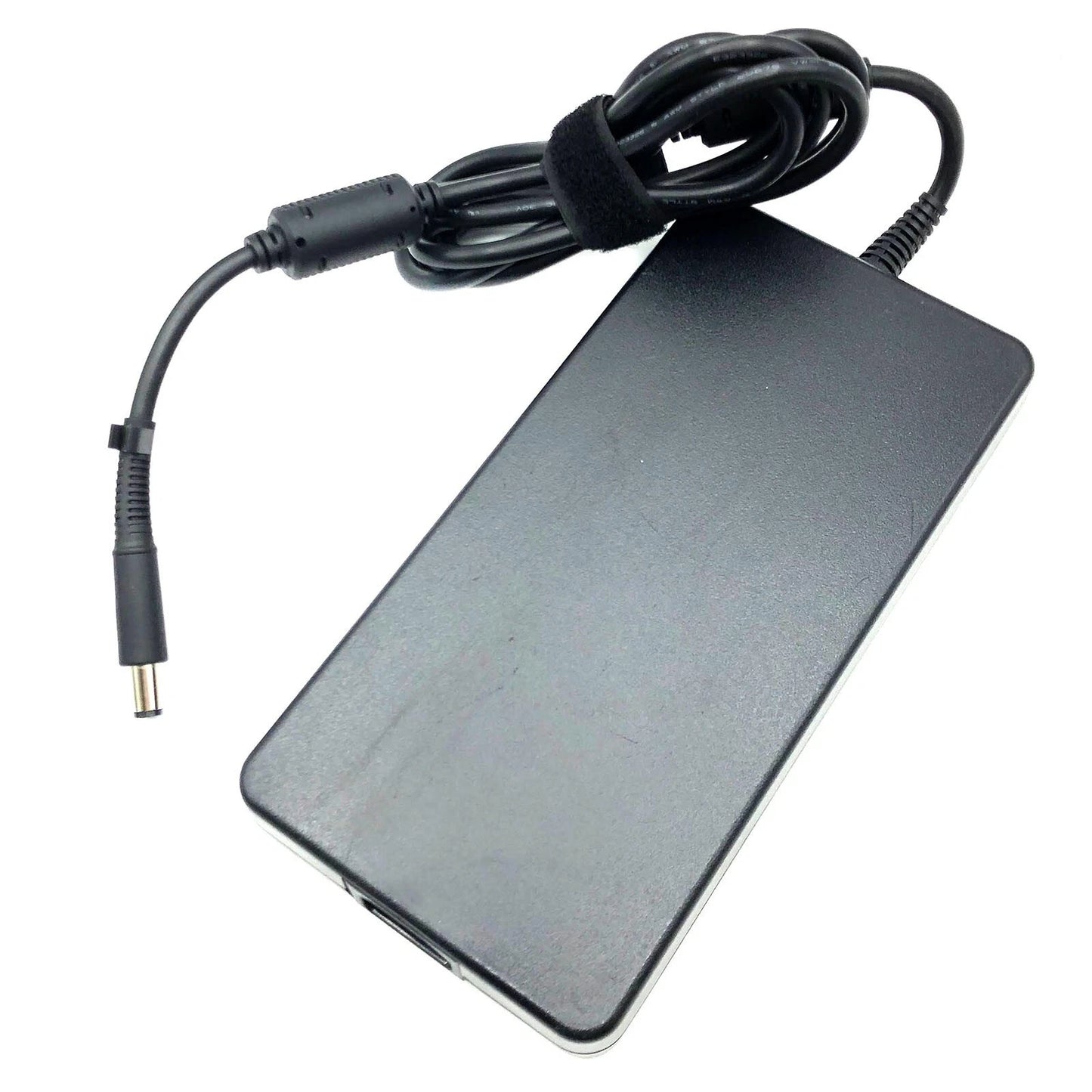
HP OEM 230W 19.5V 11.8A 7.4mm Pin AC Laptop Charger Adapter
HP OEM 230W 19.5V 11.8A 7.4mm Pin AC Laptop Charger Adapter

 Compatibility check is must for dispatch.
- Pan India Free Shipping
- Easy 7-Days Return Policy
- Warranty: 1 Year
- 100% Genuine Product
- Highly ⭐ Rated on Trustpilot & Google
- > 15 Lakh Orders Fulfilled
Product Description:
The Perfect Partner for Your Laptop on the Go
Always on the go? Stop lugging your adapter back and forth between home and office. Get a second adapter for your Laptop or Tablet and keep one in the office and one for home or travel.
Designed and tested to ensure optimum power support, the adapter also charges the notebook's internal battery simultaneously when connected.
The built-in surge-protector helps keep your laptop safe from sudden power changes.
HP branded adapters 100 percent compatible with original manufacture's device.
Troubleshooting Adapter Issues
The adapter cable and power cables may get frayed or cut, and wires may become exposed at either end of the cables. This may be due to the way the cable is wrapped around the adapter, or if the cable is subject to undue stress. If the damage is severe enough to expose wires, you should discontinue using the adapter. To check the adapter, cables, and adapter port on the laptop for any damages:
- Unplug the adapter from the wall outlet.
- Unplug the adapter from the PC.
- Check the adapter and cables (including the power cable) for signs of physical damage or overheating.
- Check if the pin inside the plug or adapter port is bent, broken, or damaged.
- Unplug the adapter from the wall outlet.
- Connect another device on the wall outlet to verify if the wall outlet is working correctly.
- Try a known-good wall outlet.
- Plug the adapter directly to the wall outlet.
Bypass any power regulators like surge protectors, UPS (uninterruptible power supply), power splitters, etc.
- Unplug the adapter from the wall outlet.
- Disconnect any external peripherals that are connected to the PC.
- Remove the battery. Refer to the User Manual of the PC for instructions on how to remove the battery.
If the laptop PC has a non-removable battery, skip this step. - Press and hold the Power button for 30 seconds to drain a residual power from the PC.
- Connect the battery.
- Plug the adapter to the PC.
- Turn on the PC.
- Unplug the adapter from the wall outlet.
- Unplug the adapter from the PC.
- Disconnect the power cable from the adapter.
- Connect the power cable firmly to the adapter.
The BIOS is firmware that is embedded onto the System Board of your computer. Updating the BIOS to the latest version may help the PC recognize the adapter. Updating the BIOS to the latest version requires the laptop PC to be powered by the adapter and battery.
| Product Type | Laptop Adapter |
| Product Brand | HP |
| Pin Size | 7.4mm |
| Power Output | 11.8A |
| Power Capacity | 230 Watt |
| Compatible Part Numbers | 535592-001 583892-800 58892-800 608432-001 608432-003 609836-001 609946-001 611533-001 613159-001 693714-001 ADP-230CB AT895AA AT895AA#AB2 AT895AA#ABA AT895AA#ABB AT895AA#ABU H1D36AA H1D36AA#ABA H1D36AA#ABB H1D36AA#ABU HSTNN-DA12 HSTNN-DA12S HSTNN-LA12 HSTNN-XA12 PA-1231-66HH PA1231-66HV 593534-001 609921-001 641514-001 644698-003 677764-002 677766-003 693706-001 925141-850 ADP-230CB B ADP-230CB BA ADP-230JB D HSTNN-DA24 L38011-001 PA-1231-08HF PA-1231-66HV TPN-LA10 811594-003 817912-001 L58062-001 PA-1231-08HG N230W-01 L58062-003 L76393-002 677765-001 677765-003 L38011-003 924942-001 901984-003 901984-004 ADP-230DB D 925141-850BU L76561-001 L33243-001 |
| Compatible Models | HP Omen by 17-an042ng HP Omen by 17-an014ng HP EliteBook 8770W Mobile Workstation HP EliteBook 8760W Mobile Workstation HP ZBook 17 (likely G2/G3 models) HP ZBook 15 G2 / G3 / G4 HP ZBook 17 G2 / G3 / G4 HP Omen X 2S 15 HP Z2 Mini G4 Workstation HP Thunderbolt Dock 230W G2 |
| Warranty | 1 Year Warranty by TPSTECH |
| Package Contents | HP 230W Laptop Adapter Documentation |
Couldn't load pickup availability